Daily Planner for Tasks, Habits, and Time Blocking
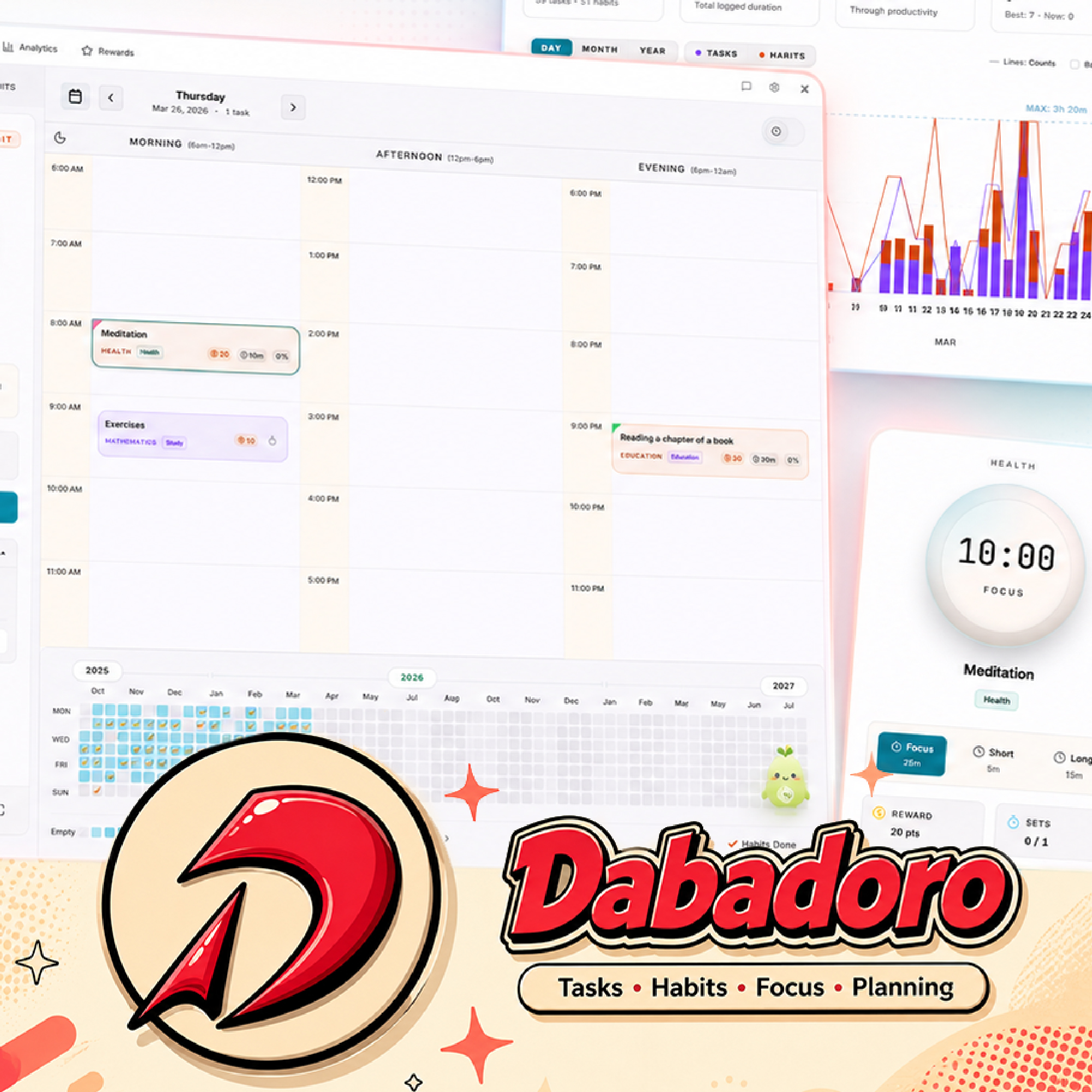
Dabadoro is a free desktop daily planner for Windows, macOS, and Linux that combines tasks, habits, Pomodoro focus, and time blocking in one calm dashboard. Drag anything onto a morning, afternoon, or evening slot, then follow the plan without jumping between apps.
Last updated: 2026-05-15
Key features
- One dashboard for your whole day. See morning, afternoon, and evening at a glance with tasks and habits side by side. Stop flipping between a to-do app, a calendar, and a habit tracker to figure out what is next.
- Drag-and-drop time blocking. Plan realistic days by dragging tasks and habits onto your timeline. Visual blocks protect the hours that matter and make context switches obvious before they happen.
- Start a Pomodoro on any plan item. Every task and habit on your timeline is one click away from a full-screen focus session. The timer keeps the item in view so the plan stays executed, not just written.
- Analytics that show where the day actually went. Daily, monthly, and yearly views let you compare plan versus reality. See focus hours, completed items, and habit consistency so future plans get smarter.
Frequently asked questions
How does time blocking work in Dabadoro?
Drag any task or habit from your list directly onto your daily timeline. Dabadoro turns it into a visual block you can resize and reorder, so you commit to specific times for specific work.
Can I see past plans?
Yes. Dabadoro keeps a full history of your days, and analytics let you scroll back to review focus time, completions, and habit consistency over any period.
Does the daily planner work offline?
Yes. Dabadoro is a native desktop app built with Tauri, so it keeps working without an internet connection. Sync runs automatically when you are back online.
Can I use it as a pure task manager without habits?
Yes. You can ignore the habit features entirely and use Dabadoro as a focused tasks-and-time-blocking planner. Habits are available the moment you want them.
Is the daily planner free?
Yes. Dabadoro is free to download and use on Windows, macOS, and Linux with unlimited tasks, habits, and time blocks.
Does it integrate with Google Calendar?
Two-way Google Calendar sync is on the roadmap. In the meantime, Dabadoro is a self-contained daily planner that works without external calendars.
Related pages: Habit Tracker, Pomodoro Timer, AI Planner.